
December 11, 2025 07:46 by
 Peter
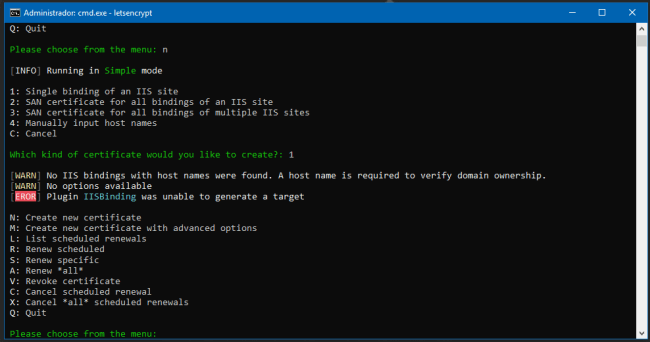
PeterThis post teaches how to fix a message:
"ERROR: Plugin IISBinding was unable to generate a target" while enabling the SSL Certificate for your website
So, let us start.
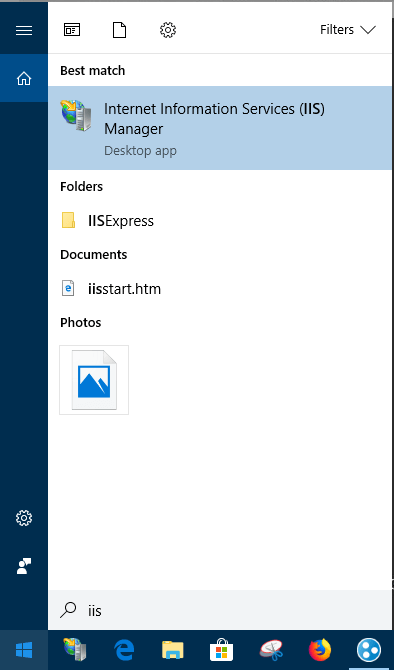
Open IIS - Internet Information Services (IIS).
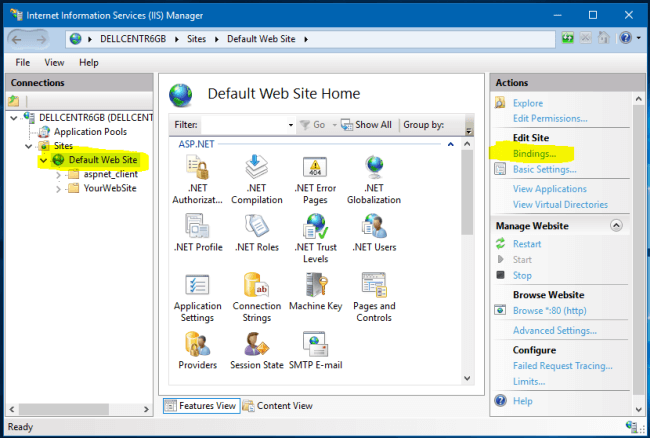
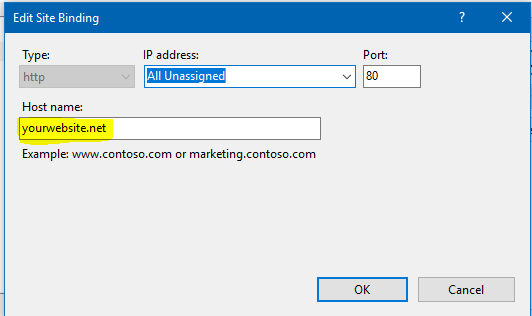
Select "Default Web Site" and click on "Bindings...."
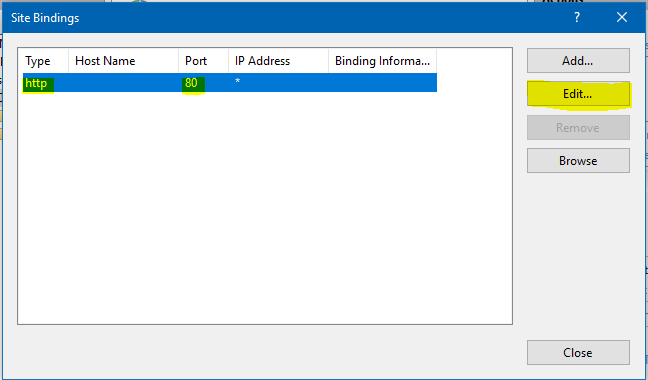
Edit "HTTP" host to put your websitURLrl.
Insert your website URL and press "OK".
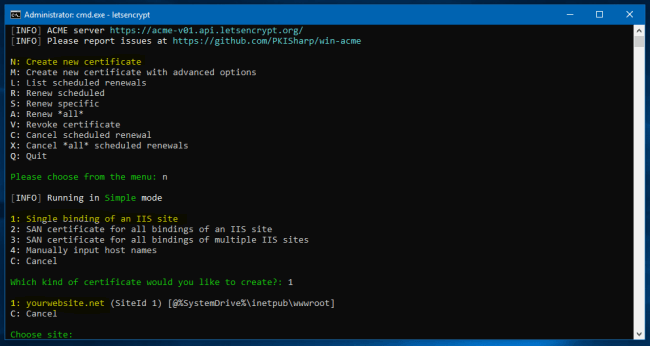
Continue the process as the original POST recommends.
Conclusion
This IISBinding error appeared to me when I moved the website from a Server to another before enabling my HTTPS certification. This solution worked for me pretty awesomely.
December 11, 2025 07:09 by
PeterA default document is the file that a web server displays when you browse to a folder without specifying a file name.

This is syntax:
<system.webServer>
<defaultDocument>
<files>
<clear />
<add value="Path of your Page" />
</files>
</defaultDocument>
</system.webServer>
Using IIS 7 you can set default document in Web.Config in easy way. Suppose i have to set CommingSoon.aspx page as default page then we should do like this in system.webserver tag.
<configuration>
<system.webServer>
<defaultDocument>
<files>
<add value="CommingSoon.aspx" />
</files>
</defaultDocument>
</system.webServer>
</configuration>
When IIS gets this new default document it adds with parent or global list of default documents.
To remove an individual default document from the list.
<files>
<remove value="CommingSoon.aspx" />
</files>
To remove a default document entry from the inherited or parent list of default documents, do something like this:
<files>
<clear/>
<add value="CommingSoon.aspx" />
</files>